Best Tools for Product Update Videos: 5 Options Compared
 By the Maybe Labs team
For a product update built from release notes and screenshots, shortlist Maybe Labs and Clueso. Choose Screen Studio for polished Mac screen recordings, Descript for editing narrated updates through a transcript, and Supademo when viewers need a clickable walkthrough. Maybe Labs is in private beta. Choose by the source material, delivery format, and revision work your update requires.
Disclosure and method: Maybe Labs publishes this comparison and is included in it. We checked the official sources linked below on October 28, 2026. These are editorial recommendations based on documented workflows and our own product facts. We have not run a hands-on competitor benchmark. The example clip below is a fictional editorial illustration assembled locally; it does not establish any vendor’s generation quality, speed, or customer results.
Which product update video tool should you choose?
| Tool | Choose it for | Starting material | Main constraint to check |
|---|---|---|---|
| Maybe Labs | A designed motion-graphics announcement | Release notes, brand assets, and verified UI captures | Gradual private-beta access; story, visuals, and animatic approvals before rendering. |
| Clueso | Creating a video and supporting how-to documentation | A prompt, recording, document, slides, or screenshots | Check the input workflow, review controls, and plan required for your project. |
| Screen Studio | Showing an actual software interaction with zoom and framing | A screen recording made on a Mac | Mac recording workflow; capture the interaction you need to explain. |
| Descript | Revising a narrated recording through its transcript | Screen, webcam, and microphone recordings | Check the edited audio against the visible UI after each cut. |
| Supademo | Letting viewers explore a guided update | Captured product states or a supported HTML path | An interactive alternative; verify video export separately if an MP4 is required. |
The shortlist covers several production approaches. Supademo is included for the adjacent job of interactive explanation. An interactive link and a rendered video serve different placements; confirm the required deliverable before comparing plans. See interactive demo versus video demo for a fuller format decision.
Maybe Labs: release notes to a designed update video
Choose Maybe Labs when the update needs a short branded story with kinetic type, product evidence, and a clear next action. Supply the release note, intended audience, verified screenshots, and brand kit. Review the brief, story, required visuals, and timed animatic before rendering. The product update workflow and release-notes-to-video guide explain those handoffs.
Maybe Labs is free during private beta, with no credit card required and access granted gradually through the waitlist. Paid pricing has not been announced; see pricing and access. Choose a recording when the evidence needs uninterrupted interaction, and an interactive platform when the viewer must click through the task.
Clueso: video creation with a documentation handoff
Clueso’s official site describes starting from a prompt, recording, document, slides, or screenshots, as well as turning the same content into a step-by-step guide. Shortlist it when a release needs both an announcement and a support explanation. Test how your chosen input preserves the actual UI, then check the resulting video and instructions against the same release note. Its documented scope includes demos, marketing, and training.
Screen Studio: a polished recording of the changed workflow
Screen Studio’s product-demo page describes a Mac recording workflow with zoom, framing, and editing. Shortlist it when the useful explanation is an actual interaction: opening a changed menu, applying a filter, or completing a new task. Prepare a clean demo environment and check that labels remain readable in the intended crop. Use the screenshot checklist to plan the states the recording must show.
Descript: edit a narrated product update through text
Descript’s screen recorder combines screen, webcam, and microphone capture with transcript-based editing. Shortlist it when an existing spoken explanation needs trimming or restructuring. After changing the transcript, review whether each instruction still matches the visible action and check captions against the final audio. This recommendation concerns its documented recording workflow; it is not a claim that recording is its only capability.
Supademo: a clickable alternative for deeper exploration
Supademo’s HTML demo documentation describes capturing a web application’s interface and adding guided interactions. Shortlist that format when users should control the pace or follow a supported path. Confirm current plan requirements and capture compatibility. You may still need a separate announcement video for a social post or email link. A captured path does not demonstrate every behavior of a live application.
Evaluate every tool with the same product update
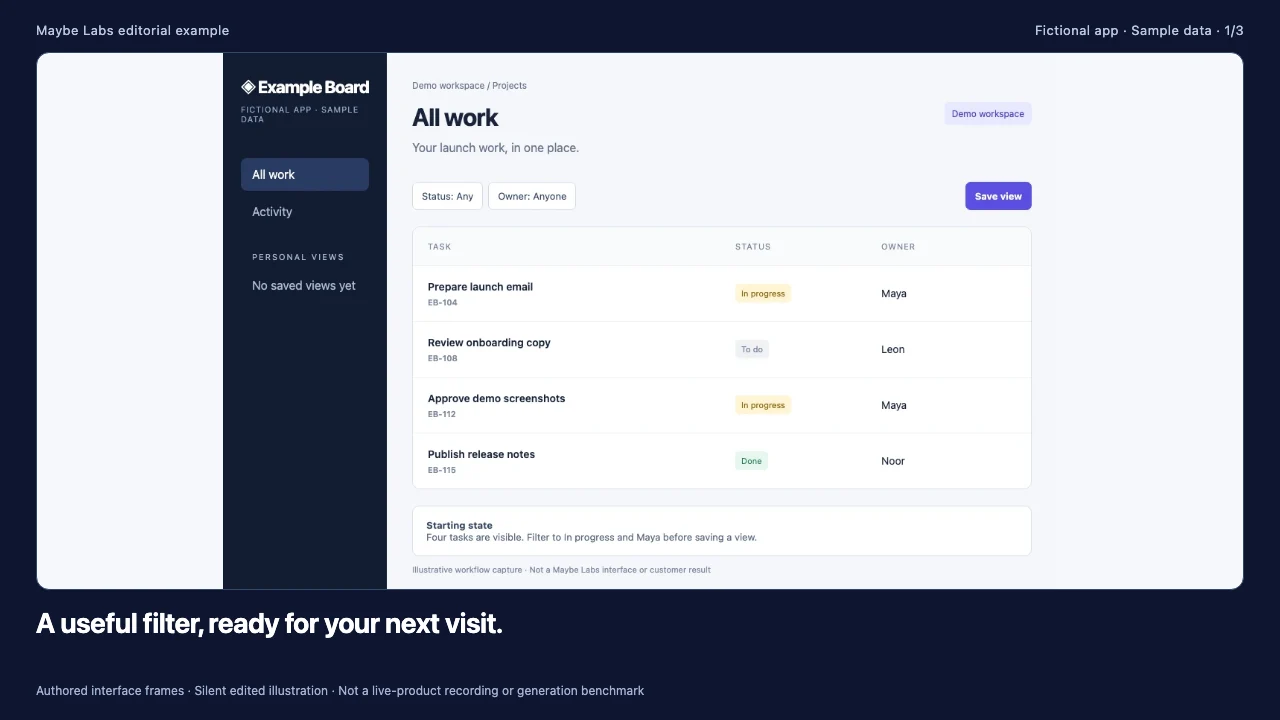
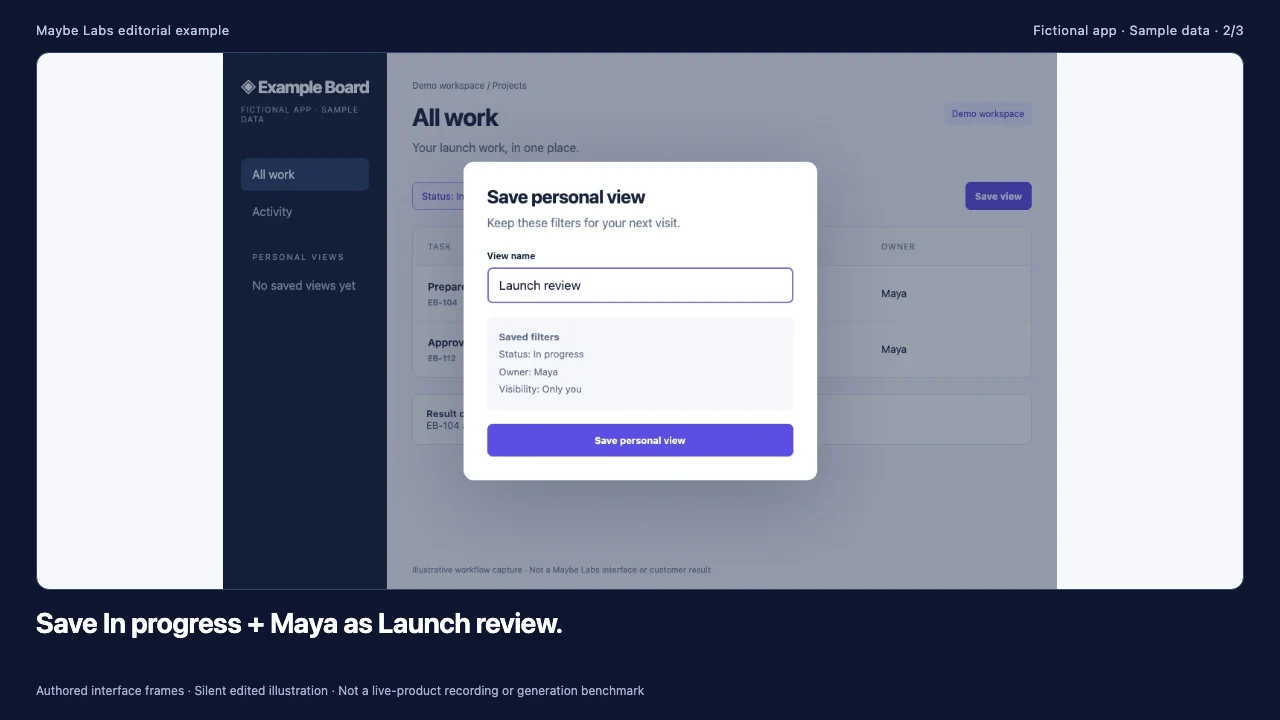
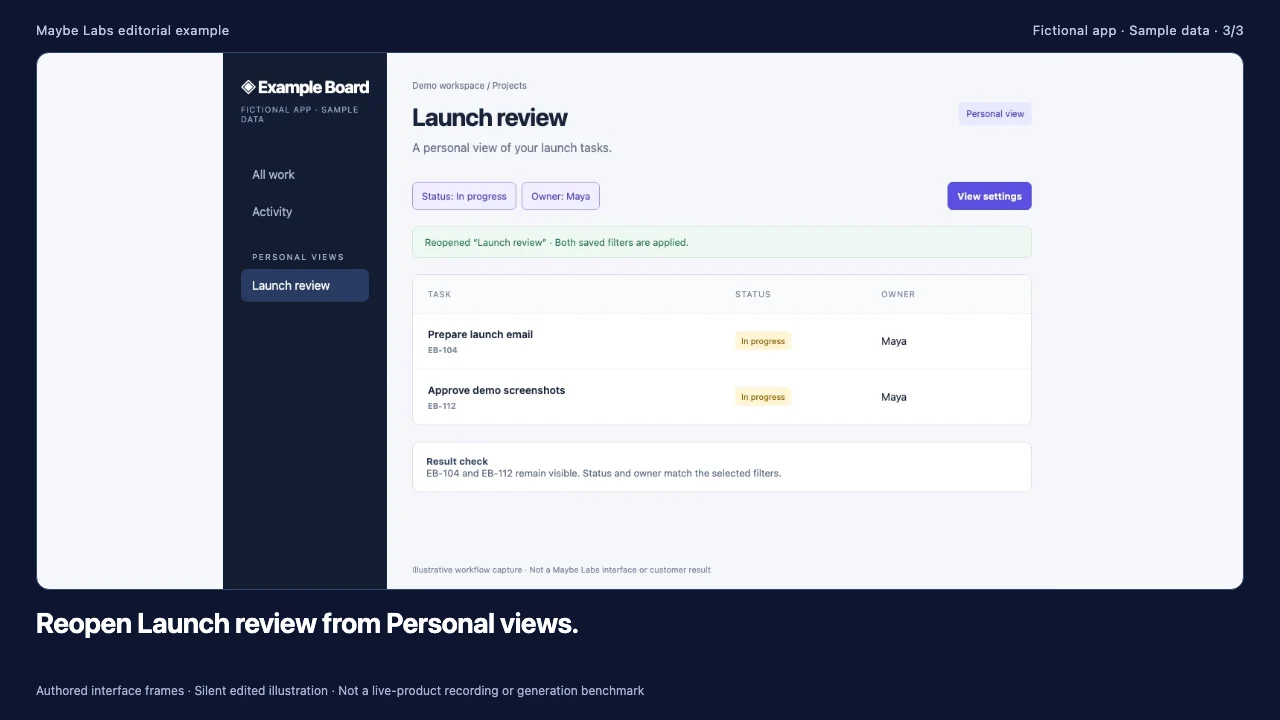
Use this reusable fictional brief: “Announce saved personal views to existing Example Board users in a 24-second, mute-first video. Users can save Status: In progress and Owner: Maya as Launch review, then reopen that view. Shared team views are not included. Preserve task IDs EB-104 and EB-112. End with: Open All work, choose your filters, then save a personal view.” Supply the same release note, approved brand assets, and captures to each shortlisted video tool.
Read descriptive transcript: Saved personal views: a product update evaluation example
- 00–08s All work starts with four sample tasks. The update is the ability to save personal filters, not a new project management product.
- 08–16s The save dialog preserves the filter combination and says visibility is Only you. Shared team views are outside this release.
- 16–24s The resulting view contains EB-104 and EB-112 with both filters applied. The next step is to save a personal view in All work.
Inspect the source frames: starting list, save dialog, and reopened view. Add a continuous recording if the exact filter interaction matters. The update example gallery includes the source facts and two other scenarios.
| Evaluation check | Evidence to collect | Acceptable result for this brief |
|---|---|---|
| Source preparation | List the extra captures, script edits, and setup each tool requires. | Every claim maps to the release note or a supplied capture. |
| UI and factual accuracy | Inspect the final frames alongside the source images. | Both filters, the view name, and the same task IDs stay consistent; personal-only scope is clear. |
| Revision effort | Rename Launch review to Sprint review and record each affected step. | The revised name agrees across the video, narration if used, captions, and supporting copy. |
| Delivery and readability | Watch the intended export at its actual publishing size, with sound off. | Essential labels and the next action are understandable; the file or hosted format suits the placement. |
| Review and repeatability | Record approvals, retained project assets, and how a later UI change is handled. | A teammate can locate the source, review the edit, and update the affected material. |
For an interactive tool, adapt the deliverable to a guided path and evaluate its steps, restart behavior, and readability separately. Keep the same source facts. Record the date, tool, plan, device, preparation time, active editing time, render wait, review time, and actual charges. These are fields for your evaluation; we have not filled them with unobserved vendor results.
Compare the full cost of a recurring update
Compare the subscription or license, seats, included usage, export requirements, and the effort to prepare, review, and revise each update. Check current vendor pricing before purchasing. Ask what happens when a UI label changes after publication or another language is added. Maybe Labs’ free private beta is not a published paid plan or a promise of unlimited production. The product video cost worksheet helps define the scope you are pricing.
Product update video tool FAQ
What is the best tool for product update videos?
For release notes and screenshots, shortlist Maybe Labs, subject to private-beta access, and Clueso. For a Mac screen recording, consider Screen Studio. For transcript-based editing of a narrated update, consider Descript. Consider Supademo when the required output is an interactive walkthrough. These are workflow recommendations, not a tested quality ranking.
Which tools can turn release notes into a video?
Maybe Labs accepts release notes as a source for a reviewed motion-graphics story. Clueso documents prompt and document inputs for video creation. Supply verified UI captures when the update makes a product claim, and check the output against the original note before publishing.
Can I use a screen recorder for product updates?
Yes. Screen Studio and Descript are options when the update is best explained through a recorded interaction. Capture a representative task, trim unnecessary steps, and check labels and captions at the final viewing size.
How long should a product update video be?
Use 20–45 seconds as a starting production brief for one feature announcement, then adjust to the placement and explanation required. That is an editorial starting point, not a platform limit or a proven performance optimum. A task tutorial may need more time.
Should every release get a video?
Prioritize changes users need to see: a new workflow, a useful capability, or a changed entry point. Routine fixes can stay in written release notes. Measure successful first use and repeat use among eligible users with a defined observation window; views alone do not show feature adoption.
Is Maybe Labs free and available immediately?
Maybe Labs is free during private beta with no credit card required. Access is granted gradually through the waitlist, so signing up does not guarantee immediate Studio access. Paid pricing has not been announced.
Were these product update video tools tested hands-on?
This comparison uses official vendor documentation checked on October 28, 2026, plus Maybe Labs product facts. It does not report hands-on competitor tests. The embedded clip illustrates a fictional evaluation brief and was assembled locally, rather than generated in the compared vendor accounts.
Sources and next steps
- Maybe Labs product update workflow and beta pricing: our product scope, review stages, and availability.
- Clueso official site: supported starting materials and documentation workflow.
- Screen Studio product-demo page: Mac recording and editing workflow.
- Descript screen-recording page: capture and transcript editing.
- Supademo HTML demo documentation: captured interactive paths and format constraints.
Choose the workflow, then run the shared brief through the tools you can access. For a designed update, start with the release-notes-to-video workflow. After publication, use the feature adoption measurement plan to track whether eligible users discover, successfully use, and return to the feature.
Make your next launch in motion
Bring a brief, brand assets, and product captures. Review the story, visuals, and exported video before publishing. Request free private-beta access.
Get early access →